
Comic Reader CBR, CBZ & PDF
Mad Mustache CompanyComics
3.721.00 Reviews
- Version
- 2.0.2
- Installs
- 100.00K
- Age Rating
- Everyone
Screenshots
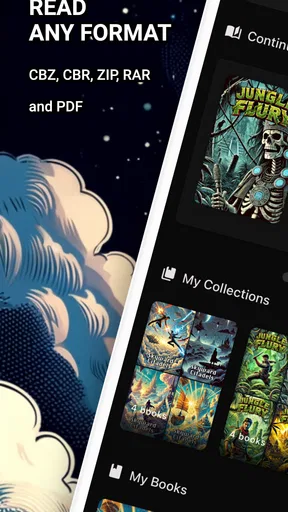
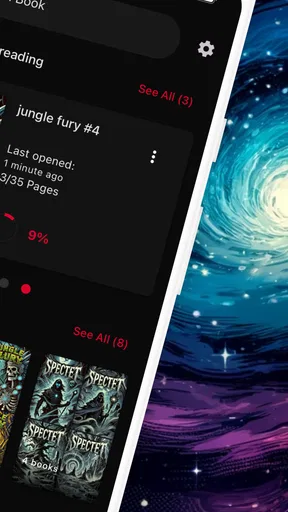
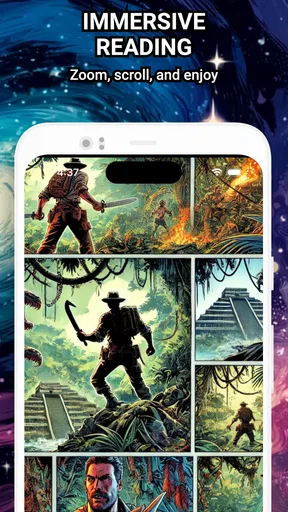
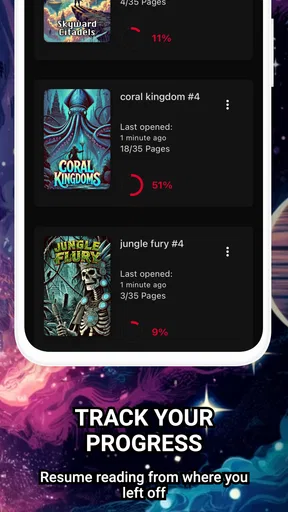
Our Review of Comic Reader CBR, CBZ & PDF
 Analysis by Appyee
I usually reach for a comic reader when I already have a file in hand and want to read it without converting it or hunting for a dedicated storefront. That is the practical appeal of Comic Reader CBR, CBZ & PDF: it is a comics app built around opening files you own, rather than asking you to build a collection inside a service. Mad Mustache Company’s app is free to install, and its focus on common comic and document formats makes it a straightforward option for readers who keep comics on a phone or tablet.
Who benefits from a file-first reader
This approach suits someone who has a few downloaded issues, scans, or graphic novels and wants one place to open them. It can also help if your reading material is split across formats: a comic archive in CBR or CBZ alongside a PDF collection, for example. Instead of changing your files to match a single reader, you can start with the files you already have.
The distinction matters when comparing it with the usual alternatives. A subscription or publisher app is often a better fit if you want to browse a catalog, buy individual issues, or have a service manage your library. A file reader is more useful when you value control over a personal collection and already know what you want to read. The trade-off is that you need to take care of finding, organizing, and moving the files yourself.
I would also consider it for occasional reading rather than assume it will replace every comics service. If a friend sends a compatible file, or you have a graphic novel saved for a trip, opening it directly is a simpler task than importing it into a larger media library. On the other hand, readers who want recommendations, a built-in comic shop, or a catalog that follows them automatically should look at a service designed for those jobs.
Getting Started with the Comic Reader
First things first, setting up the Comic Reader CBR, CBZ & PDF app is a breeze. Available for both Android and iOS, the download process is as simple as a quick search in your app store. Once installed, you’re greeted with a clean and user-friendly interface. No clutter, just the essentials to get you started on your comic book journey.
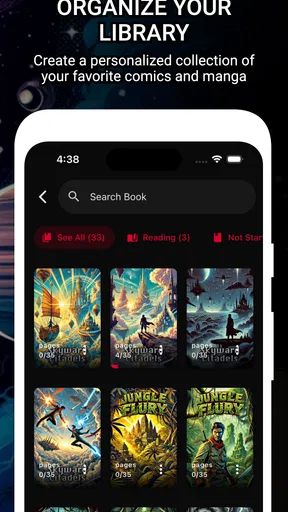
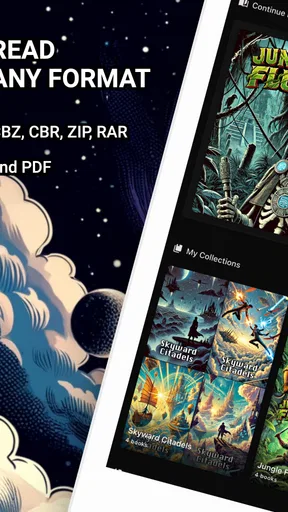
Adding your comics is straightforward. Whether you have files stored locally on your device or in the cloud, the app supports multiple formats like CBR, CBZ, and PDF. This versatility means you're not limited to a single type of file, which is perfect for those of us with varied collections.
From saved file to reading session
A useful way to approach the first session is to start with one comic you know is stored on your device. Open it, check that the pages appear in the order you expect, and try the viewing controls before settling in. This small check can catch a file or layout issue early, rather than interrupting a chapter later when you have forgotten where you were.
Cloud storage can be part of the handoff, but it is worth separating “stored in the cloud” from “ready to read.” A file may need to be available to the app before you can comfortably read it, especially when you are away from a reliable connection. For a commute or a flight, I would make sure the comic is accessible in advance instead of relying on a last-minute transfer. That is a practical habit, not a special feature: it reduces the chance of discovering a missing file when you have no time to troubleshoot.
There is also a sensible way to manage a mixed collection. Keep a clear folder structure in the storage location you use, perhaps grouping a series together and keeping PDFs separate from archives. That makes the handoff from file storage to reading less confusing, and it can help you avoid opening the wrong issue. The app’s format flexibility is valuable, but it does not remove the need for a little organization on your side.
Features That Stand Out
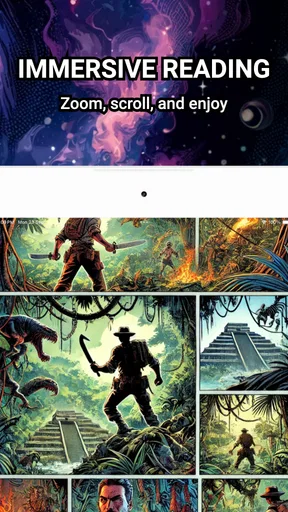
One of the standout features is the customizable reading experience. The app allows you to adjust brightness, contrast, and even the page layout with a simple tap. Whether you prefer a single-page view or a continuous scroll, the choice is yours. The night mode is a blessing for late-night reading sessions, reducing eye strain significantly.
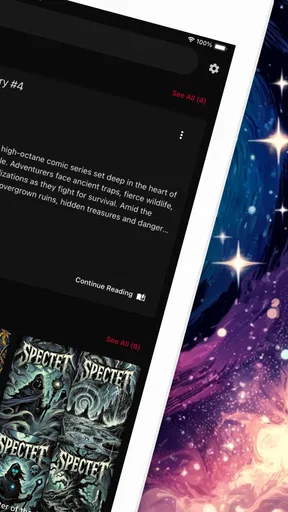
Another neat feature is the ability to bookmark pages. We all know the struggle of trying to remember where we left off, and this feature tackles that problem head-on. Just tap the bookmark icon, and you’re good to go. The app also keeps track of your reading history, so picking up a comic where you left off is seamless.
The settings are most useful when they respond to the material rather than being treated as one permanent ideal. A page designed for a wide tablet may be easier to read one page at a time, while a phone can make a long vertical scroll feel more natural. If small lettering is the problem, zooming in on a panel may be more comfortable than repeatedly changing the whole page layout. I would test the options on a page with dense dialogue before committing to a mode for an entire book.
Bookmarks and reading history also solve slightly different problems. History helps when you simply want to return to something recent; a bookmark is better when you are saving a particular moment, such as a page you want to revisit or a place you paused while switching between books. If you rotate among several comics, using both can be more reliable than expecting to remember the exact page yourself.
A realistic day-to-day handoff
Picture saving a comic at home before heading out. You can open it during a quiet break, adjust the screen for the lighting, and use a bookmark if you need to stop midway through a page or chapter. Later, the reading history can help you find the title again. That is the app’s most convincing everyday role: it keeps the reading step simple once the file is ready, while leaving the choice of what to read and where to keep it with you.
This workflow is especially convenient for people who move between a small phone screen and a larger tablet. The file itself remains the starting point, while the reading controls let you adapt how it appears on the device in front of you. I would not assume every device handoff happens automatically, though. If you plan to continue on another device, make sure the file is available there and check your place rather than expecting a cloud library to synchronize the whole experience.
Performance and Usability
Now, let’s talk about performance. The app runs smoothly, with quick loading times and no noticeable lag when navigating through pages. I tested it with some hefty graphic novels, and it held up impressively well. The zoom feature is responsive, allowing you to delve into those intricate details without any pixelation.
The interface is intuitive, even for those who might not be tech-savvy. Everything is labeled clearly, and accessing settings or switching between comics requires minimal effort. This simplicity is a huge plus, especially when you're eager to dive into your next adventure.
For a first-time user, that low-friction feel is more important than having an elaborate library system. You can focus on the pages rather than learning a complicated set of menus. Still, a smooth reading screen cannot fix a poorly prepared file: if an archive is damaged, pages are arranged unexpectedly, or a PDF is unusually heavy, the experience may differ from a clean, ordinary comic file. I would try a representative file from your collection before moving a large library over.
What Could Be Improved?
While the app is fantastic, it's not without its minor hiccups. Occasionally, I noticed that the app could be a bit sluggish when dealing with extremely large PDF files. It’s not a deal-breaker by any means, but it’s something to keep in mind if your collection includes particularly massive files.
Additionally, while the app does support cloud storage integration, the setup process could be more streamlined. A more intuitive guide or automatic sync feature would elevate the user experience significantly.
That cloud handoff is where expectations matter most. A file reader is not necessarily a complete backup or library-management system just because it can access cloud storage. I would keep important files organized in their original location and avoid treating the app as the only place a collection exists. If you regularly move between devices, a more full-featured library service may be more convenient, particularly if automatic syncing is central to your routine.
There is a similar trade-off with in-app purchases. The app is free to install, but it offers purchases ranging from $1.99 to $69.99 per item. Before spending, I would check what a purchase adds and whether it addresses a need you actually have. If your goal is simply to open a few files, start with the free experience and judge it on that task; do not assume paid options are necessary for every reader.
What to expect before installing
The app is rated for Everyone, and it has reached over 50,000 installs. Its average rating is 3.3 from around 350 ratings, so I would treat it as a practical, somewhat mixed choice rather than a universally loved reader. It was released on June 30, 2024, and version 1.29.1 is the current version. It requires Android 7.0 or later. Those details make it easier to decide whether it fits your device and how much weight to give other readers’ experiences.
One question people often have is whether this is the right place to discover new comics. I would not choose it for that purpose: its strength is reading compatible files, not replacing a storefront or editorial catalog. Another is whether it can handle both archived comics and PDFs; those are among the formats it supports, so it is a reasonable match for a collection that mixes them. If your files are already stored online, cloud access can help, but the setup and availability of each file still shape how smooth the handoff feels.
It is also worth asking whether a file reader is right for a large collection. It can be, especially if you already have a tidy folder system and mainly need a reader. If you expect automatic organization, easy purchases, or seamless syncing as the foundation of your library, a service built around those features will likely save you effort. The key choice is whether you want to manage the collection yourself or have an app manage more of it for you.
Final Thoughts
Overall, the Comic Reader CBR, CBZ & PDF app is a robust and versatile tool for any comic book enthusiast. Its ability to support multiple file formats, combined with a sleek and user-friendly interface, makes it an excellent choice for both casual readers and hardcore collectors. Sure, there are a few areas that could use a bit of polish, but these are minor in the grand scheme of things.
If you're looking to carry your comic collection in your pocket, this app is definitely worth a download. Give it a try, and you might just find yourself spending more time than ever flipping through those beloved panels. Happy reading!
My recommendation depends on what you want the app to take care of. If you already have comics saved and want a simple route from file to page, its format support, reading controls, bookmarks, and history make a convincing case. If you want the app to discover, sell, back up, and synchronize a whole collection with little effort, I would choose a different kind of comics service instead.
For someone deciding today, I would begin with one CBR, CBZ, or PDF file that represents the collection they actually read. Try the page layout, test zoom on small lettering, and see whether the cloud route feels manageable if that is part of your routine. That quick trial gives a more useful answer than judging the app by its name alone: it shows whether its file-first workflow fits your habits.
Privacy and Permissions
See what permissions an app requests and how it handles your data.
- Photos/Media/Files
- read the contents of your USB storage, modify or delete the contents of your USB storage
- Storage
- read the contents of your USB storage, modify or delete the contents of your USB storage
- Wi-Fi connection information
- view Wi-Fi connections
- Other
- view network connections, full network access, draw over other apps, control vibration, prevent device from sleeping, Google Play license check
Verdict
Strengths of Comic Reader CBR, CBZ & PDF
- Supports multiple file formats.
- Smooth and intuitive navigation.
- Customizable reading settings.
- Fast and responsive interface.
- Offline reading available.
Limitations of Comic Reader CBR, CBZ & PDF
- Limited cloud storage integration.
- Ads in free version.
- Occasional crashes on large files.
- No in-app purchase options.
- Minimal community support.
Similar Picks in This Category
View All
WEBTOON: Manga, Comics, Manhwa
NAVER WEBTOON4.6

MangaToon: Comic & Manga
MangaToon4.3

네이버 웹툰 - Naver Webtoon
NAVER WEBTOON4.3

Tapas – Comics and Novels
Tapas Entertainment Inc.4.2

Lezhin Comics - Daily Releases
LEZHIN ENTERTAINMENT3.3

WebComics - Webtoon & Manga
WEBCOMICS HOLDINGS HK LIMITED4.4
Frequently Asked Questions
What file formats does Comic Reader CBR, CBZ & PDF support?
Comic Reader CBR, CBZ & PDF is designed to support a wide range of comic book formats, including CBR, CBZ, and PDF files. This ensures that users can access their entire comic library without needing to convert files, making it a versatile choice for comic enthusiasts who have collections in various formats.
Is Comic Reader CBR, CBZ & PDF compatible with both Android and iOS devices?
Yes, Comic Reader CBR, CBZ & PDF is available for both Android and iOS platforms. This cross-platform compatibility allows users to enjoy their comics on a variety of devices, whether it's a smartphone or a tablet, providing flexibility and convenience for reading on the go.
Does Comic Reader CBR, CBZ & PDF offer customization options for reading?
Absolutely, the app provides several customization features to enhance the reading experience. Users can adjust page layouts, choose between single or double-page views, and customize brightness settings. These options ensure a comfortable reading experience tailored to individual preferences, whether you read at home or on the move.
Are there any in-app purchases or ads in Comic Reader CBR, CBZ & PDF?
Comic Reader CBR, CBZ & PDF may include in-app purchases and ads. These are often used to unlock additional features or remove advertisements for an uninterrupted experience. It's advisable to check the app's description on the App Store or Google Play for detailed information on purchasing options and ads.
How easy is it to organize and manage comics in Comic Reader CBR, CBZ & PDF?
The app provides robust organizational features, allowing users to sort and categorize their comics efficiently. With options to create folders and tag comics, users can easily manage large collections. This functionality ensures that finding and accessing specific comics is quick and effortless, enhancing overall usability.
